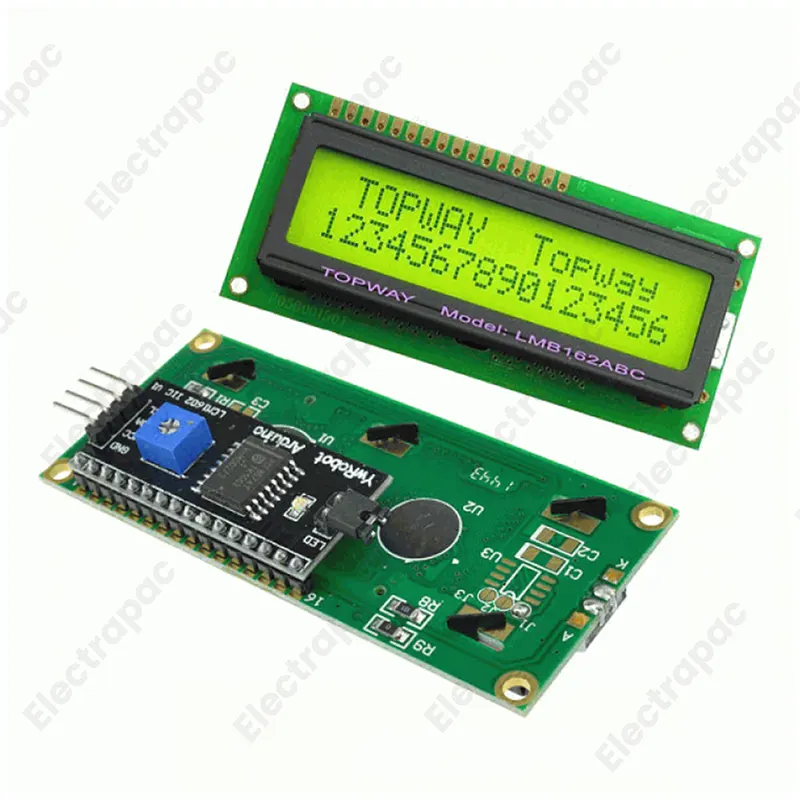
Clean up your project wiring with the I2C LCD Driver Module, available now at Electrapac. If you’ve ever been frustrated by the 16-wire "rat's nest" required to connect a standard LCD to your Arduino, this module is your solution. This small "backpack" board converts a standard parallel LCD into a serial I2C device, reducing the number of pins required from 16 down to just 2 (SDA and SCL). Read more
The I2C LCD Driver Module is the ultimate time-saver for anyone tired of messy wiring. At Electrapac, we recommend this module to transform your standard 1602 or 2004 LCD from a complex 16-pin nightmare into a simple, 4-pin "plug-and-play" interface.
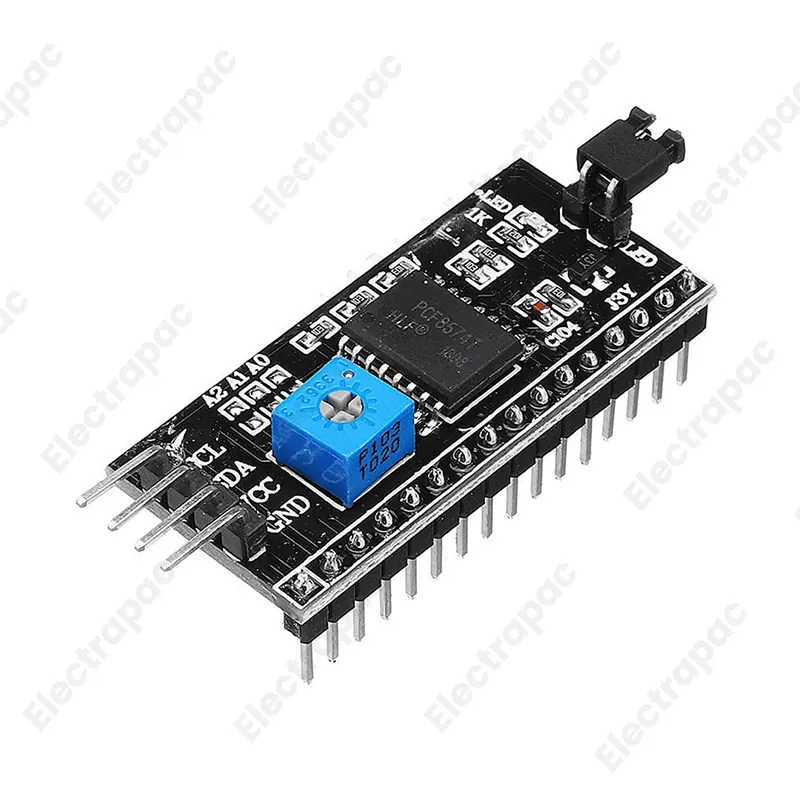
This module is based on the PCF8574 I/O expander chip. It acts as a bridge between your microcontroller and the LCD, converting the I2C serial data from your Arduino or ESP32 into the parallel signals required by the display.
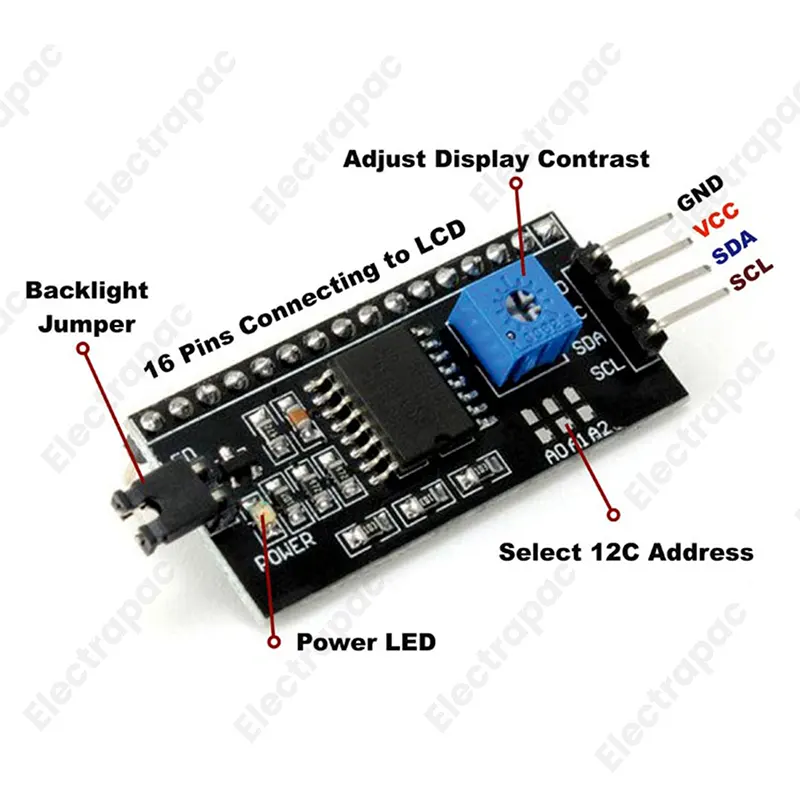
Dramatic Wiring Reduction: Reduces the connection requirement to just 4 pins: VCC, GND, SDA (Data), and SCL (Clock).
Adjustable Contrast: No need for an external breadboard and separate potentiometer. Use the integrated blue trimmer to make your text perfectly sharp.
Backlight Control: Includes a jumper cap that allows you to turn the backlight on or off manually.
Addressable Setup: Features three solder pads (A0, A1, A2) that allow you to change the I2C address. This means you can run up to 8 LCDs on the same two wires!
Universal Compatibility: Works seamlessly with Arduino, Raspberry Pi, ESP8266, ESP32, and STM32.
[Image showing I2C module soldered to the back of an LCD and connected to an Arduino Uno]
To get your display running from
GND: Connect to Arduino Ground.
VCC: Connect to Arduino 5V.
SDA: Connect to Arduino Pin A4 (on Uno) or SDA pin.
SCL: Connect to Arduino Pin A5 (on Uno) or SCL pin.
Pro-Tip: If you see "Blocks" instead of text after uploading your code, simply use a screwdriver to turn the blue potentiometer on the back of the I2C module until the letters appear.
Space-Constrained Projects: Perfect for small enclosures where a 16-wire ribbon cable won't fit.
Complex Robotics: When you've used up most of your Arduino pins for motors and servos, I2C gives you back the pins you need.
IoT Dashboards: Easily display Wi-Fi status or IP addresses for ESP32/ESP8266 projects.
Industrial Displays: Long-distance data display (over a few feet) using the stable I2C protocol.
We source I2C Driver Modules with high-quality soldering pads to make it easy for you to attach them to your displays. Visit us at
| Specifications | Descriptions |
|---|---|
| Compatible Displays | 1602 LCD, 2004 LCD |
| Communication Protocol | I2C (Serial) |
| Operating Voltage | 2.5V – 6V (5V Recommended) |
| Main Chip | PCF8574 / PCF8574T |
| I2C Address | Default 0x27 or 0x3F (Configurable via jumpers) |
| Dimensions | 41.5mm x 19mm |
| Contrast Adjustment | Onboard Blue Potentiometer |
| Package | 1 x 1 I2C Module |

Subscribe to our newsletter and get early access to new arrivals, tech trends, and exclusive unboxing reviews from Electrapac.?